Payment Methods
Payment methods are the ways your customers can pay. They appear when you take payment on an invoice, at checkout, for a top-up and when you give a refund.
Who can see it: Owner and Admin.
Open it from Tools & Settings → Payment Methods in the menu.
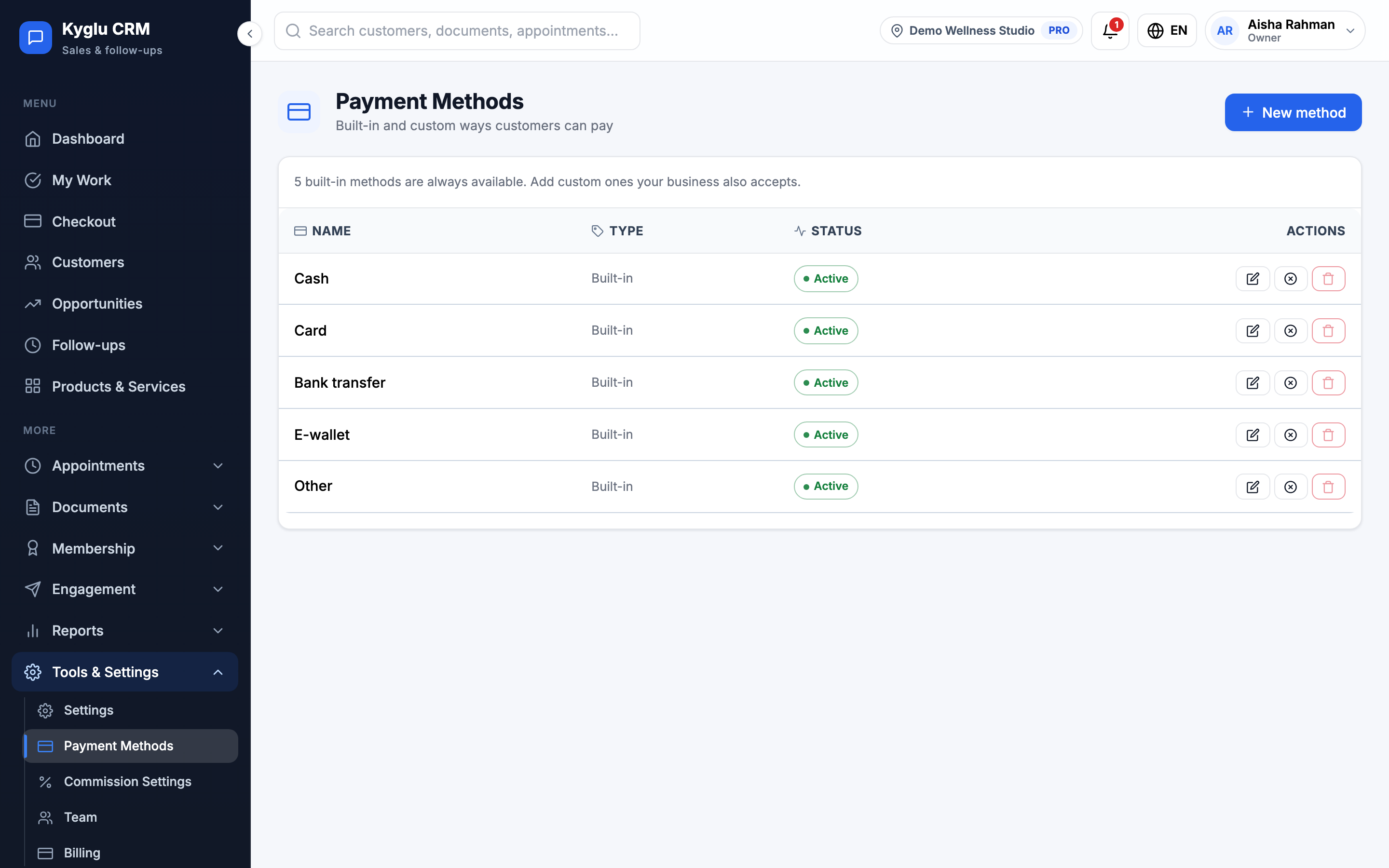
Built-in methods
Every account has five built-in methods: Cash, Card, Bank transfer, E-wallet and Other. You can't rename or delete them, but you can deactivate one you don't use, or change its position in the list.
Add a custom method
- Click New method.
- Enter a Name, for example "DuitNow QR" or "TNG eWallet".
- Add an optional Description, such as the banks or wallets you accept. It's shown under the name when you collect payment.
- Set the Sort order and make sure Active is ticked.
- Click Add method.
Change a method
| Action | What it does |
|---|---|
| Edit | Change the name, description or order |
| Deactivate / Activate | Hide a method from payment screens, or bring it back. Past payments keep it. |
| Delete | Custom methods only. Past payments still show the method's name. |
tip
Deactivate a method rather than deleting it if you might use it again.
Stored value isn't a payment method you set up here. It's offered automatically when the customer has a wallet balance. See Stored Value.