Session Packages
A package is a prepaid bundle a customer buys once and uses over several visits, for example a 10-session facial package or a monthly sauna pass. Each customer who buys one gets their own package card with a balance and a history.
Who can see it: Everyone. Creating and editing packages needs the Owner, an Admin, or Staff with the Catalog permission. Recording, extending or cancelling a customer's package needs the All customers permission. Anyone can redeem a session.
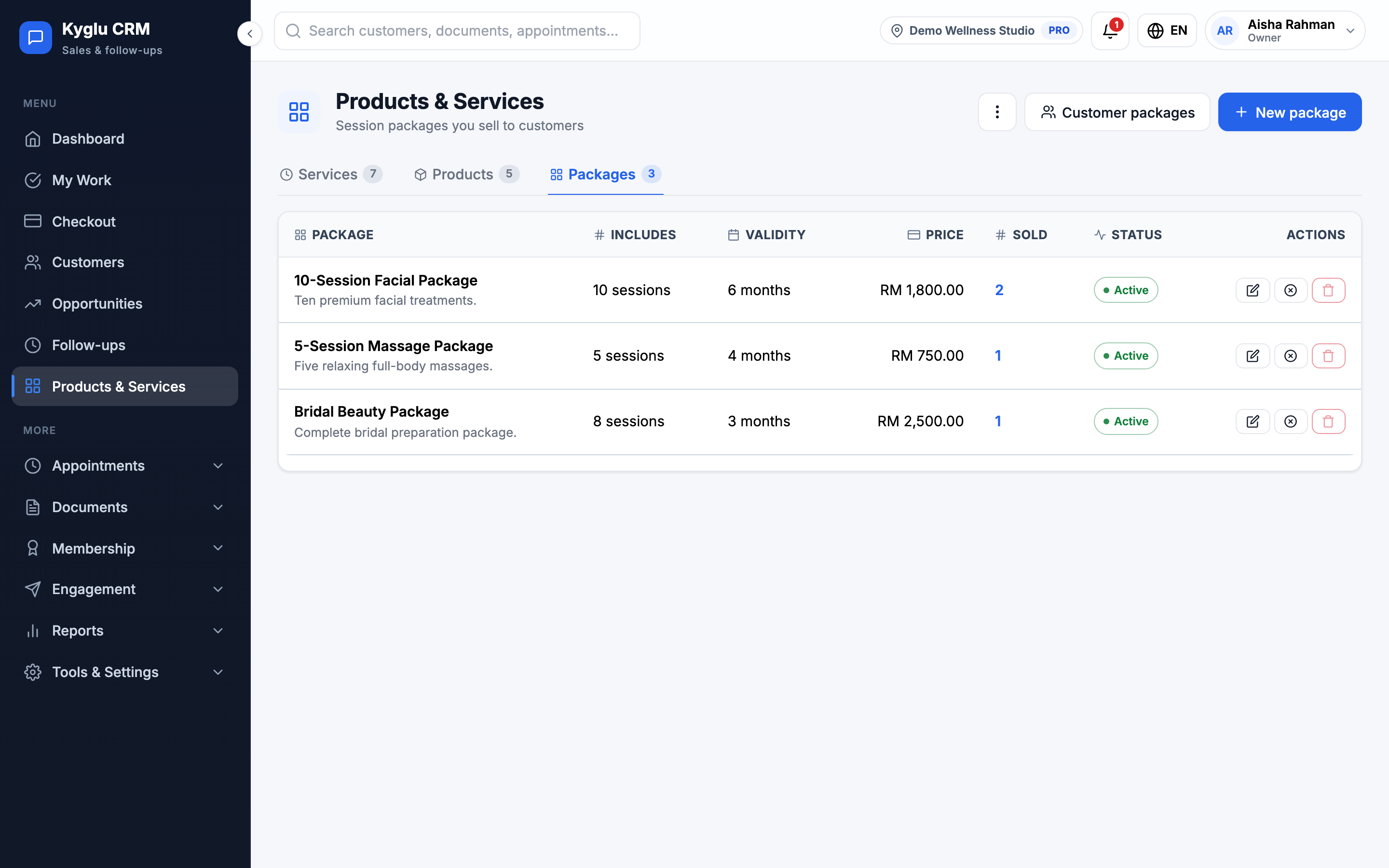
Packages are a tab of Products & Services. The tab has two views: Catalogue (the packages you sell) and Customer packages (the packages your customers own).
Create a package
- Open Products & Services → Packages and click New package.
- Enter a Name and Description. Customers and staff both see the description.
- Add what's included under Contents and usage:
- By count: add the services or products and their quantities. The customer's card shows a balance, for example 7/10 sessions. A package with several items gives each item its own balance.
- Unlimited within validity: the customer can redeem any time before it expires. You can set a Daily limit.
- Unit: what the balance counts, for example sessions, lashes or ml. Leave blank for sessions.
- Set the Selling price. Kyglu CRM shows how it compares with buying the items one at a time.
- Set the Validity:
- From purchase: 1 month, 3 months, 6 months, 1 year or a custom length. Leave blank for no expiry.
- From first use: the validity starts at the first redemption. You can set an Activation deadline: if the customer doesn't use it within that many months of buying, it expires unused.
- Unlimited packages must always have an expiry.
- Choose Points on purchase: no points, the amount × a multiplier, or a fixed number of points.
- Click Create package.
Editing a package doesn't change packages already sold. A package that has been sold can't be deleted. Deactivate it instead.
Sell a package
Add the package to an invoice or a checkout like any other item. When the invoice is paid, the customer gets their package card automatically, and the sale counts in your sales reports.
Record a package without an invoice
For a gift, a free trial or a balance from your old system, open the customer's Packages tab and click Record package. Choose a package From catalogue or Custom (enter manually), then set the Amount paid, Purchase date and expiry.
To bring over many balances at once, click Import balances on the Customer packages view.
Redeem a session
When you complete an appointment, Kyglu CRM asks which package paid for it. Choose the package card (or several cards, if the visit used more than one) and confirm. If the customer has no package to use, the question doesn't appear.
You can also redeem from the customer's Packages tab: click Consume, choose the Service and how much to use.
Optionally, click Ask customer to sign to take the customer's signature on screen. It's saved with the redemption.
If the package's items are tracked in stock, you can deduct the stock at the same time.
Undo a redemption
In the package's history, click Reverse next to the redemption. The session goes back on the balance.
Manage a customer's package
On the customer's Packages tab, each package shows its balance, expiry, amount paid and value left. You can:
| Action | What it does |
|---|---|
| Extend expiry | Set a new expiry date |
| Extend activation deadline | For packages valid from first use |
| Cancel this item | The remaining sessions can no longer be used. Other items in the same purchase aren't affected. |
| Renew package | Sell the same package again |
| Redemption log | Every redemption and reversal, with signatures. Click Export CSV to download it. |
Session value is the amount paid spread over the purchased sessions.
Customer packages
The Customer packages view lists every package your customers own. The cards at the top show active packages, packages expiring in the next 14 days and the unredeemed value: money already paid for sessions not yet delivered.
Expiry
- Packages expire at the end of their expiry date.
- Kyglu CRM can send the customer an automated WhatsApp reminder 7 days before a package with sessions left expires. See WhatsApp.
- Customers can see their packages and balances in the Customer App.
To refund a package, see Credit Notes.