Vouchers
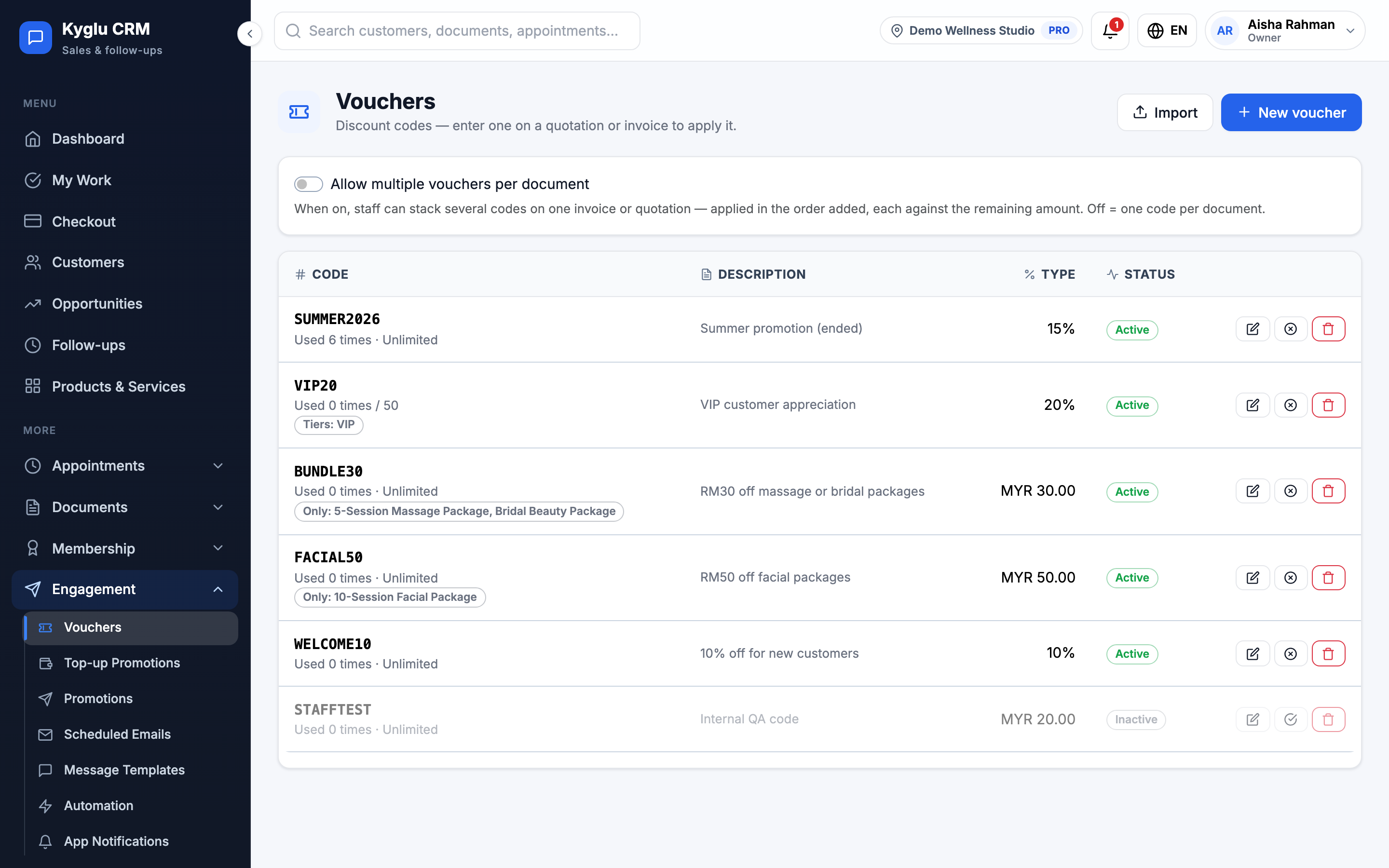
A voucher is a discount code, for example WELCOME10 for 10% off. Staff enter the code on a quotation, invoice or checkout to apply the discount.
Who can see it: Owner, Admin, and Staff with the Catalog permission manage vouchers. Everyone can apply a voucher when billing.
Open it from Engagement → Vouchers in the menu.
Create a voucher
-
Click New voucher.
-
Enter a Code, or click Generate. Codes use letters and numbers only, up to 40 characters, and are changed to uppercase.
-
Add an Internal note for your team, if you like.
-
Choose the Type:
- Percentage: between 1 and 100% off
- Fixed amount: an amount off
-
Choose what it Applies to: Everything (whole document), or only selected services, products or packages.
-
Optionally limit it to some Customer tiers. Leave empty for all customers.
-
Set a Minimum subtotal, if needed.
-
Under Usage limits, set:
Field Description Total issue/redemption limit How many times the code can be used in total. Blank is unlimited. Max uses per customer How many times each customer can use it. Blank is unlimited. Validity period Starts at and Expires at. Leave blank to start now and never expire. -
Check the summary, for example "On spend of 100 or more, customers get 10% off, limited to 1 use per customer", and save.
Use a voucher
On a quotation, invoice or checkout, enter the code under Voucher in the summary, or click Pick from active codes. Kyglu CRM checks the code and shows the discount. Vouchers are never applied automatically.
If the voucher only covers some items, you can choose which line it Applies to.
A voucher can't be used when:
- the code is inactive, not started yet or expired
- the bill is under the minimum subtotal
- the customer isn't on one of the voucher's tiers
- the customer or the code has reached its usage limit
- it's a walk-in sale and the voucher is limited per customer or by tier
Several vouchers on one bill
On the Vouchers page, turn on Allow multiple vouchers per document to let staff add more than one code to the same invoice or quotation. The codes are applied in the order they're added, each against the remaining amount. When it's off, each document takes one code.
Manage vouchers
The list shows how many times each voucher has been used. You can Edit, Deactivate or Activate, and delete vouchers.
A voucher used on an invoice counts as used. If the invoice is voided, deleted or fully refunded, the use is given back.