Checkout
Checkout is the front-desk page for billing customers and collecting payment. It brings today's appointments, unpaid orders and recent payments together on one screen.
Who can see it: Everyone.
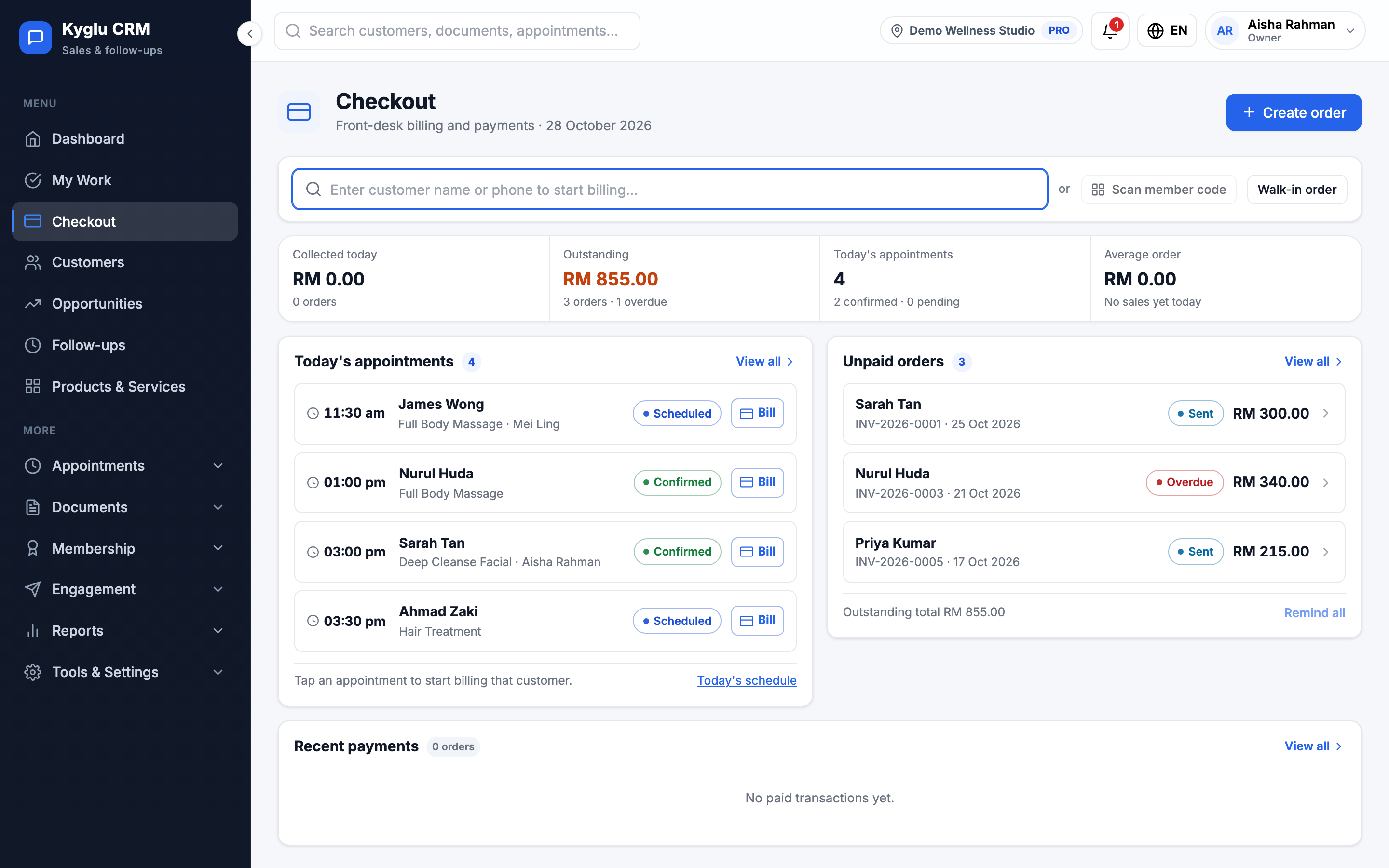
The checkout page
| Section | What it shows |
|---|---|
| Search | Type a customer's name or phone to find them and start billing |
| Figures | Collected today, Outstanding, today's appointments and the Average order |
| Today's appointments | Tap an appointment to start billing that customer |
| Unpaid orders | Orders waiting for payment and the outstanding total. Tap one to collect payment. |
| Recent payments | The latest paid transactions with method and amount. Click All payment records for the full list. |
Bill a customer
- Do one of the following:
- Click Create order.
- Search for the customer.
- Tap one of today's appointments.
- Add the products, services or packages they're paying for. See Products & Services.
- Apply any discount, voucher or points.
- Record the payment.
An order is an invoice. Recording payment marks it paid.
Walk-in orders
For someone who buys and leaves without you creating a customer profile, click Walk-in order. The sale is recorded against a shared walk-in customer, so it still counts in your sales, stock and commission.
Walk-in orders can use:
- Per-line discounts
- A manual discount with a reason
- Vouchers that aren't limited to a tier or to once per customer
Walk-in orders can't use tier offers, birthday offers, loyalty points, trial-price promotions or vouchers limited per customer, because those depend on knowing who the customer is.
Receipts
When an invoice is marked paid, Kyglu CRM issues a receipt automatically. From the receipt you can:
- Download it as a PDF
- Send it to the customer on WhatsApp as a link
Receipts can't be edited. To correct a paid invoice, use a credit note.
Taking stock off the shelf
If you track stock, Kyglu CRM asks whether to deduct the products on the invoice from stock. Adjust any quantities, or skip the step to leave stock unchanged. See Products & Services.